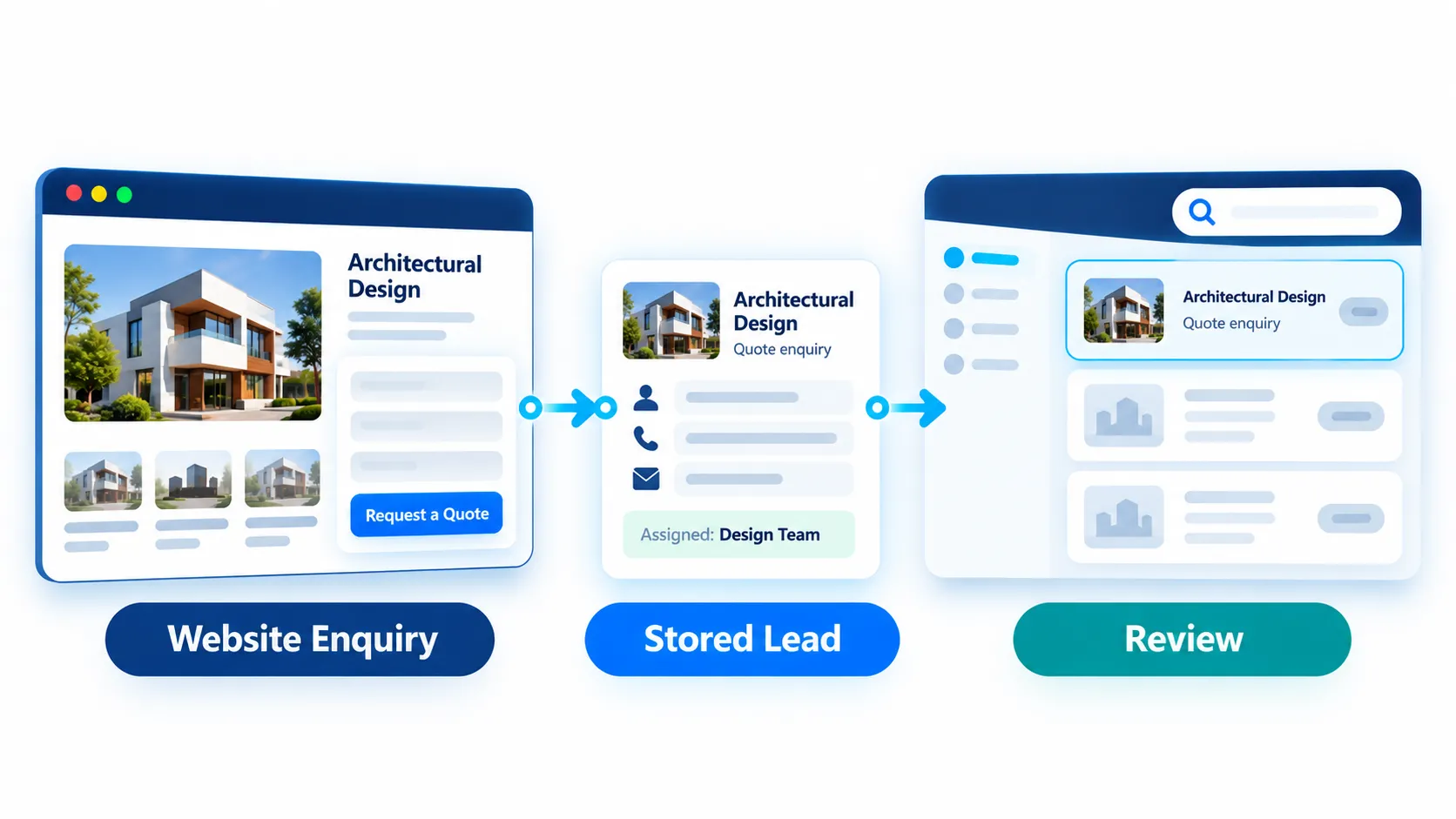
Website enquiries are easier to act on when they remain visible with useful context. SiteSeas keeps submitted website enquiries in a dedicated lead dashboard for website enquiries, where permitted users can review, search and filter stored lead records with relevant source, review, delivery and assignment information. It is designed for website-enquiry handling - not as a replacement for a full CRM.
See what came from the website, what the visitor was asking about, and where the enquiry is configured to go.
A valid website submission becomes a stored lead record that remains reviewable in SiteSeas. The workflow connects the visitor's enquiry with trusted source context and configured handling, so your team does not have to reconstruct the request from separate messages.
A visitor uses a configured enquiry path such as Ask About This, Request Quote or another supported form from relevant website content.
The enquiry is stored as a website lead. Where WhatsApp continuation is configured, the lead is stored before the pre-filled WhatsApp chat opens; the visitor still sends the WhatsApp message.
Validated page/component/element context can stay with the lead, while applicable enquiries follow configured contacts or departments and scoped Lead Manager access.
Users with access can open the SiteSeas website lead dashboard to review, search and filter stored enquiries using the available source, review/spam, delivery and assignment information.
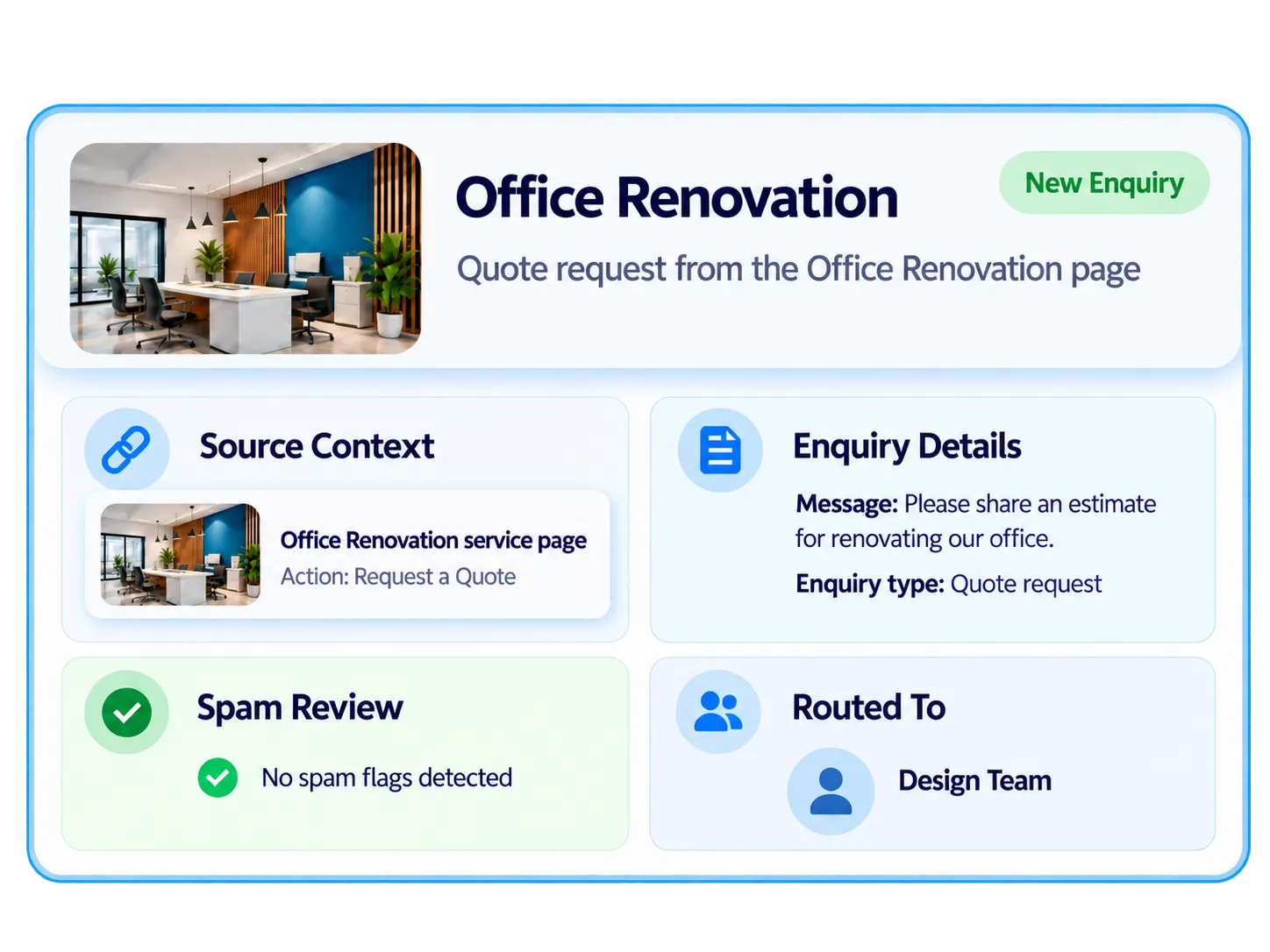
A short message can be hard to act on if the reviewer does not know what the visitor was viewing. SiteSeas can preserve trusted source context with the enquiry, so the first follow-up can begin with more information instead of asking the visitor to repeat the basics.
See readable context from the relevant page or content that generated the enquiry.
Review submitted contact information, message and supported fields configured for that enquiry path.
Where available, see spam/review state, delivery indicators, assigned contact and rule-based Intent Strength alongside the lead.
Where different people, departments or branches handle different enquiries, configured website lead routing can direct applicable website enquiries to the relevant configured contacts or departments. Lead Manager access can also be scoped by assignment or permission, so permitted users see the leads relevant to their role.
Applicable enquiry paths can use the relevant configured contact or department.
Lead Managers can receive permitted access based on assignment or permission where configured.
Available delivery and assignment information remains reviewable with the stored website lead.
A website enquiry dashboard is most useful when the team can return to it later and still find the right record. SiteSeas allows permitted users to review, search and filter stored website enquiries instead of relying on isolated form submissions or chat history.
Use available source context, spam/review state, delivery indicators and assigned contact to narrow the review.
Spam score/reasons and review controls help reduce noise. Classification is useful but imperfect.
Review available assignment and delivery information while scoped access limits visibility to permitted users.
The SiteSeas Lead Dashboard is designed around the website's own enquiries. It helps a business review what came through the website, understand the available context and keep those records organised. It is not a full CRM, sales-pipeline system or automated follow-up platform.
A dedicated dashboard becomes more useful when website enquiries come from different products, services or pages, or when more than one permitted person needs to review them. It gives the business one managed place to review what the website has already captured.
Source context helps the reviewer understand which part of the website generated the enquiry.
Configured routing and scoped access can support the appropriate permitted contact, department or Lead Manager.
Website-origin enquiries are stored together in the Lead Dashboard so permitted users can review them during the applicable data-retention period.
This page focuses on the practical lead dashboard for website enquiries. For broader website lead management and the wider SiteSeas intelligence view - including rule-based Intent Strength, Demand Insights and supported Traffic x Enquiry Opportunity - explore Lead Dashboard & Intelligence.
A lead dashboard for website enquiries is a central place to review stored enquiries submitted through a website. In SiteSeas, permitted users can search, filter and review website lead records together with relevant source, review, delivery and assignment context.
Yes. Where the enquiry comes from configured SiteSeas content, the lead can retain validated, readable source context so the reviewer can understand what the visitor was interested in without relying only on the message text.
Yes. The SiteSeas Lead Dashboard supports reviewing, searching and filtering stored website enquiries by available source context, spam/review state, delivery indicators and assigned contact, subject to user permissions and available lead data.
Yes. Where website lead routing is configured, applicable enquiries can follow the relevant configured contact or department, and Lead Manager access can be scoped by assignment or permission. This helps the appropriate permitted user review the lead without giving everyone access to every enquiry.
Yes. Configured SiteSeas enquiry paths and supported fixed forms can create stored website lead records. Fields, labels, required settings, destination contacts and WhatsApp-message setup depend on configuration. The Lead Dashboard is where permitted users review those website enquiries after submission.
SiteSeas uses spam score/reasons, honeypot checks, review state, per-session rate limiting and duplicate-submission protection to help reduce noise. Classification is imperfect, so these controls do not guarantee that every unwanted submission will be detected.
Intent Strength is a rule-based 1-10 score shown as Hot, Warm or General using available source/form signals such as a specific item, secondary path, quantity or dates. It is not predictive AI, purchase probability, guaranteed lead quality or guaranteed sales potential.
No. The current Lead Dashboard does not send automatic new-lead notifications. A permitted Lead Manager checks or refreshes the dashboard to review new website enquiries. SiteSeas is therefore not presented as an alerting or automated follow-up system.
No. The Lead Dashboard focuses on website enquiry review and related context, not full CRM pipelines, sales automation or autonomous follow-up. Businesses that need broader CRM workflows may use a separate CRM alongside SiteSeas.
If your website receives enquiries from different pages, products or services, see how SiteSeas can keep those website-originated leads together with the context your team needs to review them.